Welcome to TalkGraphics.com
Page 3 of 3 FirstFirst 123
Results 21 to 23 of 23
  1. #21

    Default Re: Making a bitmap logo spin in Xara3D Part 2

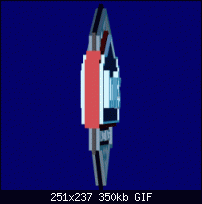
    After looking into that 3D simsmj globe and figuring out the method, I realized we can use the alignment function to step these rotating logos up a bit. Notice there are several different extrde depths, because there are several shapes piled on top of each other with different settings

    Click image for larger version. 

Name:	441211706.gif 
Views:	86 
Size:	350.2 KB 
ID:	85311
    Yes, yes, and what if the core is made of CHEESE?

  2. #22
    Join Date
    May 2001
    Location
    Dundee, Scotland, UK
    Posts
    1,050

    Default Re: Making a bitmap logo spin in Xara3D Part 2

    That's a good looking 3d logo, that.

    It's a matter of taste, really, but I think the extrude steps are a bit heavy-looking, so these days I mostly reduce them by typing Ctrl-A, then going to the Font Size field and setting something between 200% and 400%. This expands the x- and y-axis dimensions, but doesn't touch the z-axis (extrusion), so objects look thinner front to back. You then need larger extrude settings to achieve a given thickness, giving you much finer control.

    Mike
    Attached Thumbnails Attached Thumbnails Click image for larger version. 

Name:	ACF v3 296x437 fso anim30f.gif 
Views:	82 
Size:	878.9 KB 
ID:	85315  

  3. #23
    Join Date
    Oct 2006
    Location
    StPeters, MO USA
    Posts
    4,052

    Default Re: Making a bitmap logo spin in Xara3D Part 2

    alpinedigital and simsmj those are both very fine.
    Larry a.k.a wizard509

    Due to current economic conditions the light at the end of the tunnel has been turned off


Tags for this Thread

Bookmarks

Posting Permissions

  • You may not post new threads
  • You may not post replies
  • You may not post attachments
  • You may not edit your posts
  •